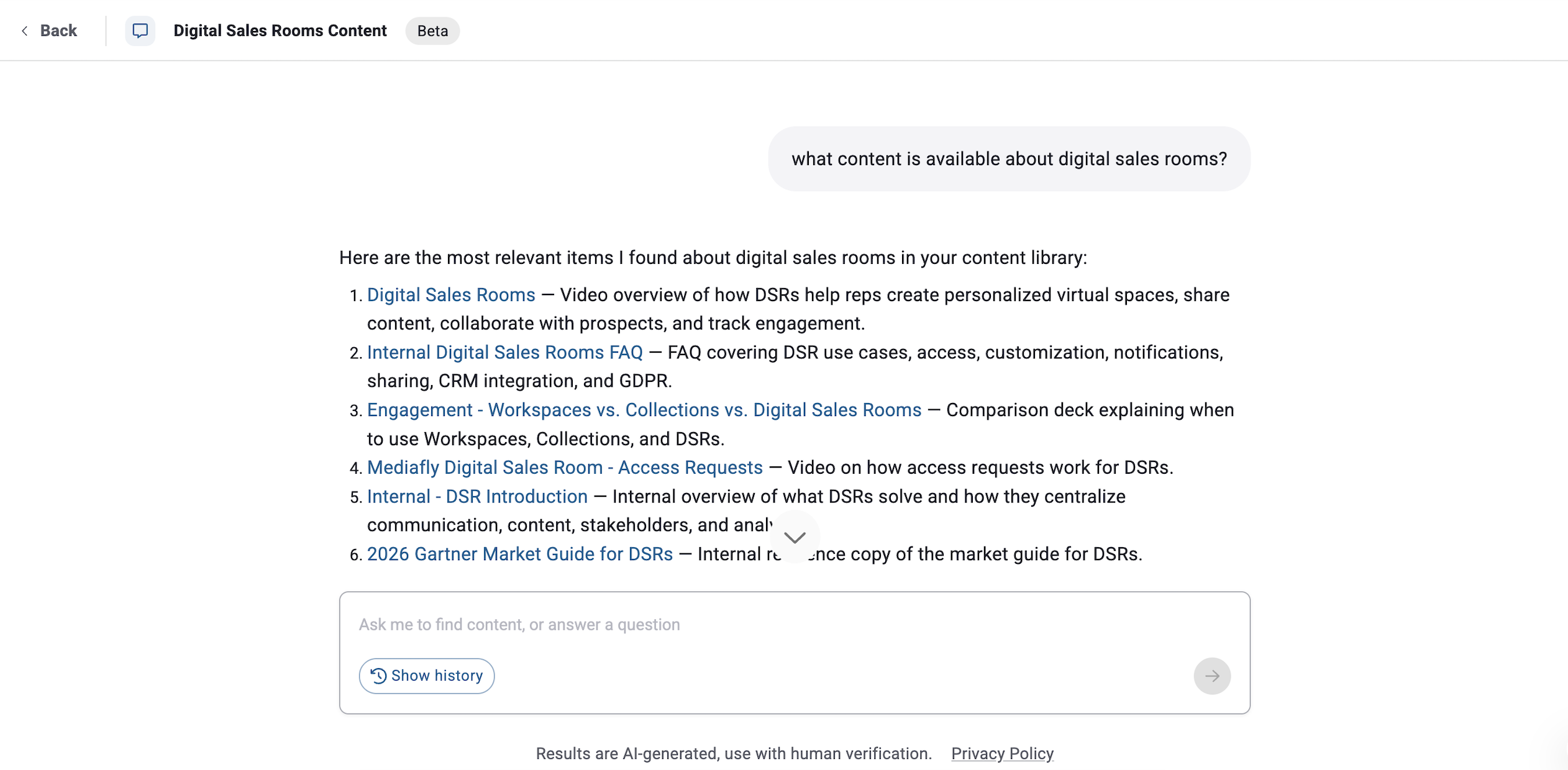
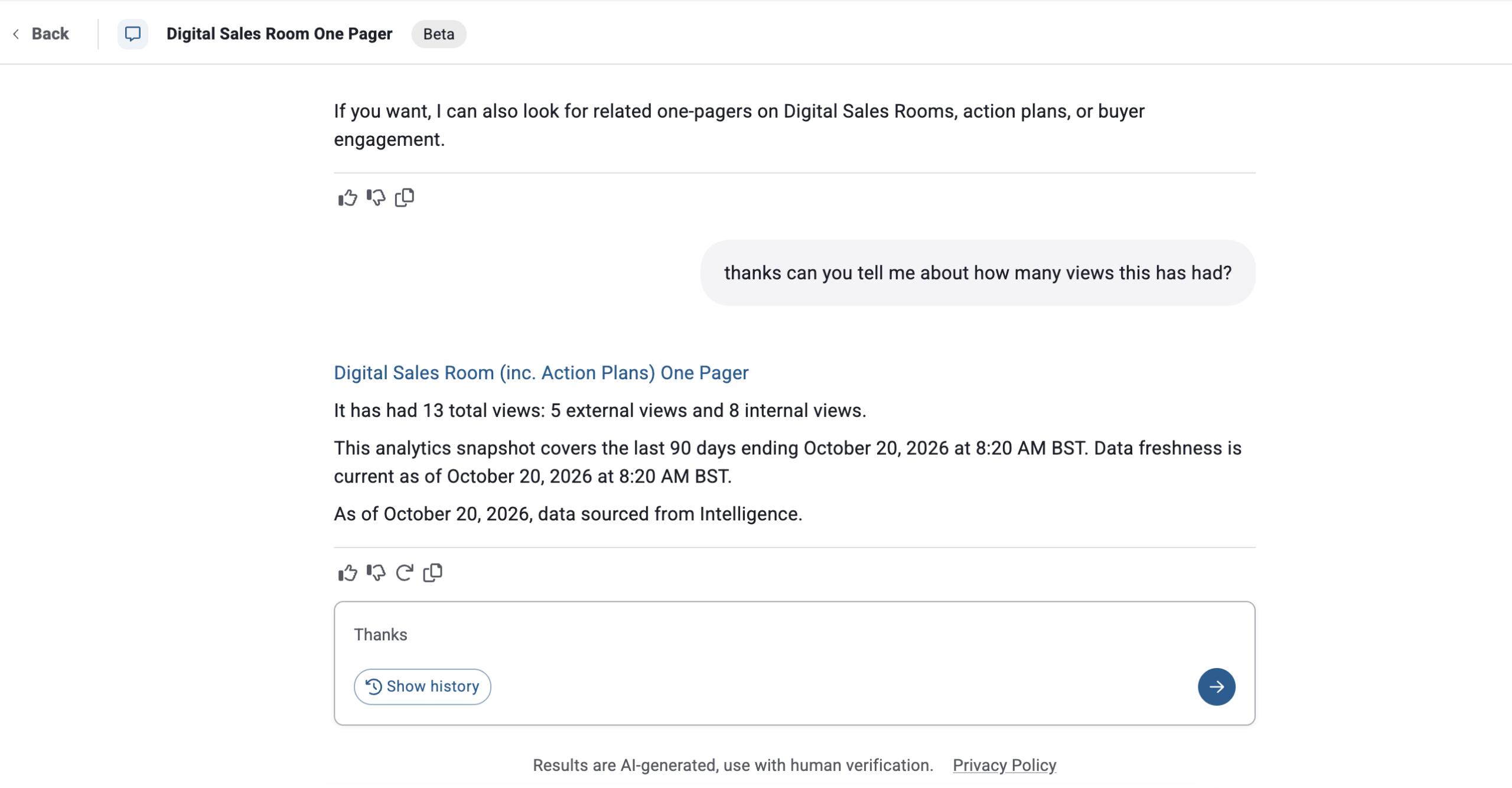
Command Center is the AI-powered workspace for revenue teams. Ask questions in plain language and get relevant, context-rich answers from the content within Mediafly Engagement.
Give sellers a faster path from question to customer-ready action—and give sales enablement and content teams a clearer view of what is being used, what is resonating, and what needs attention.
Sellers lose time searching folders, asking enablement for help, and switching between sales content, analytics, and CRM screens. Enablement teams spend too much time answering the same questions instead of improving the sales motion. Leaders can see activity, but still struggle to connect content usage to buyer engagement and revenue outcomes.
Command Center helps turn that complexity into a focused workflow:
Ask for what you need in your own words.
Get the most relevant answer, ranked and filtered.
See the context behind the answer.
Take action without starting over in another tool.
Command Center is built into Mediafly’s revenue enablement platform, Engagement—not bolted onto an unrelated data repository. It is a practical AI sales assistant that helps people do the work in front of them: prepare for a customer conversation, find the right asset, understand which content is performing, and act with confidence.
Example questions
Example questions
Example questions
Search your Mediafly library using natural language instead of exact file names, folder paths, or keyword guesswork. Ask for content by customer, industry, persona, topic, use case, or meeting context—and get relevant results in seconds.
Example questions
Command Center can help enablement teams explore content performance and engagement signals in plain language. See what is being shared, what buyers are opening, what internal teams are using, and which assets may need to be refreshed or promoted.
Example questions
Use guided prompts and contextual answers to move from information to action. Command Center helps sellers prepare for conversations and helps enablement teams get answers to the questions that otherwise create constant back-and-forth.
Example questions
Make the content system easier to use and easier to improve. Reduce repetitive “where do I find this?” questions, improve content discoverability, and see which assets are helping the field—and which ones are not earning their place in the library.
Spend less time maintaining a content maze and more time improving the sales motion.
Help sellers spend more time in customer conversations and less time piecing together information. Give teams a consistent way to find approved content, prepare for meetings, and focus on the moments most likely to move an opportunity forward.
Increase seller focus without adding another disconnected tool.
Connect AI-assisted discovery and guidance to the systems and workflows your teams already use. Start with the Mediafly experience, then extend the enablement layer as your organization’s AI and workflow strategy evolves.
Add practical AI to the revenue workflow without creating another silo.
Stop searching by folder structure. Ask for the content, context, or preparation help you need and get moving faster.
Walk into every customer conversation better prepared.
Command Center works with the information and capabilities available through your organization’s Mediafly environment. Access follows your existing Mediafly user groups and permissions, and administrators can control who gets access. As with any generative AI capability, users should review important answers and referenced source content before using them externally.
Mediafly’s AI platform is designed for enterprise revenue teams with security, governance, and control in mind. Mediafly does not train foundation models on customer data, and AI operates within its broader governance and compliance boundaries.
A generic chatbot can generate an answer. Enterprise search can retrieve a document. Command Center is designed for the commercial workflow around the answer.
Mediafly context
It works with the content, engagement signals, performance insights, and capabilities your organization has enabled in Mediafly.
Revenue-team language
Sellers and enablement teams can ask about customers, personas, industries, content, meetings, performance, and sales situations—not just file names.
One unified experience
Users do not have to decide which agent, mode, or tool to use before they ask.
Action-oriented answers
The goal is not just retrieval; it is helping the user continue the workflow.
Governed access
Existing permissions and administrative controls remain part of the experience.
Command Center starts with practical, high-frequency work: finding content, understanding content enablement, and helping teams move forward with less friction. Mediafly is continuing to expand the AI layer toward more proactive recommendations, deeper workflow orchestration, and access through the tools where revenue teams already work.
Book a demo to see how Command Center can improve your seller efficiency today.
Necessary cookies are absolutely essential for the website to function properly. This category only includes cookies that ensures basic functionalities and security features of the website. These cookies do not store any personal information.
Any cookies that may not be particularly necessary for the website to function and is used specifically to collect user personal data via analytics, ads, other embedded contents are termed as non-necessary cookies. It is mandatory to procure user consent prior to running these cookies on your website.